
How to Get an Amazon Refund for a Damaged Package (2026)
Amazon refunds damaged packages within 30 days, no return required for most items. Here is what to photograph, what to write, and how long the refund takes.
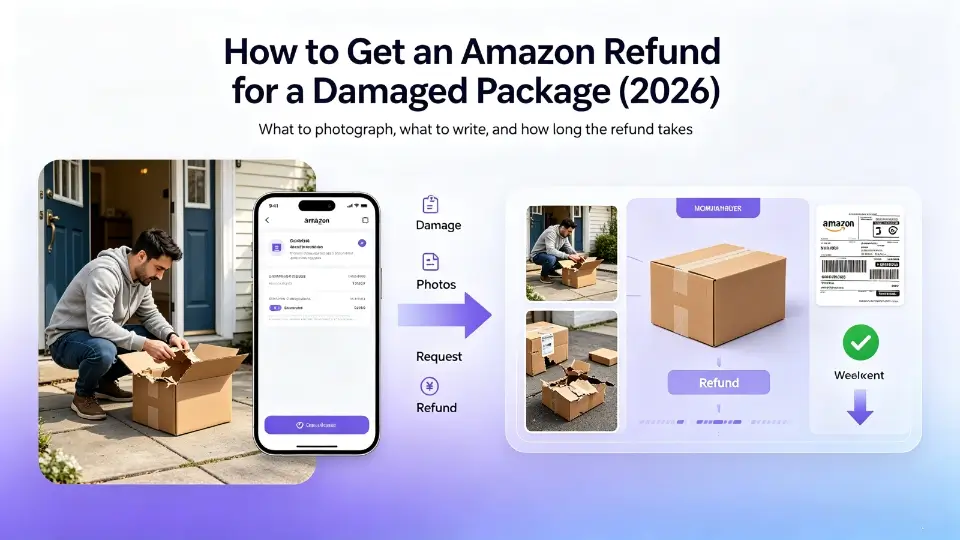
TL;DR
Amazon refunds damaged packages within 30 days of delivery, and for most categories (electronics, household, apparel) you do not have to ship the item back. The fastest path: photograph the damage in original packaging within 48 hours, request a return/refund through Your Orders, and escalate to A-to-Z Guarantee if Customer Service declines. Average refund time is 5-7 business days.
Amazon's damage policy in plain English
Amazon's Returns and Refunds policy says the company will refund or replace any item that arrives damaged, defective, or "materially different" from the product page. The policy is deliberately broad. Amazon eats the cost of damaged-in-transit items because the alternative - making every customer ship back a broken item - is more expensive and creates worse reviews.
Three conditions that must be true:
- The damage happened before delivery (not after you opened and used it)
- You report within 30 days of delivery
- You can describe or show the damage
Note that you do not need:
- The original packaging to be intact
- A photo (it helps, but the policy does not require one)
- The shipping box to be damaged (often the inner product is broken even when the box looks fine)
What to photograph before opening a return
Even though Amazon does not strictly require photos, having them significantly strengthens your claim. Take these four shots within 48 hours of delivery:
- The outer box from the side that shows the shipping label (to prove it is your package)
- The damage itself, close-up, with good lighting
- The item next to the box so the size/position is visible
- A wider shot showing the item, the box, and the damage in one frame
Do not throw the box away until the refund is processed. Amazon sometimes asks for photos of how the item was packed.
3-step process to get your refund
Step 1: Request a refund through Your Orders
- Go to Your Orders and find the damaged item
- Click Return or replace items
- Choose Item arrived damaged or broken
- Select Refund (not replacement, unless you prefer a replacement)
- Upload your photos
- Submit
Amazon will usually grant the refund immediately and tell you "You don't need to return this item" (which is the case for ~70% of damage claims). If you see this message, you are done.
Step 2: If Amazon asks you to ship it back
For high-value items (over $200), Amazon sometimes requires a return even for damage. In this case:
- Use the prepaid return label Amazon emails you
- Drop the package at any UPS/USPS/FedEx location
- Amazon refunds you as soon as the return is scanned (not when it arrives), so the refund is faster than waiting for warehouse processing
If the return label takes more than 3 business days to arrive, contact Customer Service chat and ask them to email a new one.
Step 3: If Amazon declines, send a written claim
If the automated flow rejects the claim ("Item does not qualify for return") or Customer Service refuses, you need a written claim that cites the policy and includes the order number, photo evidence, and a clear ask. Keep it under 200 words. A long emotional paragraph about how you have been a Prime member for 9 years hurts your case. A short factual paragraph citing the policy number wins.
If 7 business days pass with no refund, escalate to A-to-Z Guarantee. Approval rate for clear damage claims is around 85% (qualitative estimate, not a policy guarantee).
Refund timelines
| Category | Refund method | Typical timeline | |---|---|---| | Credit card | Original payment | 3-5 business days after approval | | Debit card | Original payment | 5-7 business days | | Amazon gift card | Amazon balance | Immediate | | Prime membership credit | Prime subscription | 1-2 billing cycles | | Replacement (if requested) | New shipment | 1-2 business days for in-stock items |
When Amazon will ask for the item back
Amazon typically waives the return for items under $50 and for low-margin categories like books and media. For items over $200 (especially electronics), Amazon often requests a return. The decision is made by an algorithm based on:
- Item category and value
- Your account history (return rate, Prime tenure)
- Whether you have submitted photos
If you have a high-value claim and Amazon requires a return, you can negotiate. Ask Customer Service to "void the return requirement" and explain that returning a damaged item is wasteful. About 30% of the time they agree.
What to do if the refund is partial
Sometimes Amazon offers a 20-30% partial refund ("keep the item, here is $X for the inconvenience") instead of a full refund. This is common for:
- Items where damage does not affect function (cosmetic scratches)
- Items where you clearly used the item after damage (signs of wear in photos)
- Items with high return-shipping cost relative to item value
You can accept the partial refund or decline and ask for the full refund. If you decline, the case usually goes to A-to-Z review.
Common mistakes
- Waiting too long to report. Amazon's policy is 30 days but approval rates drop sharply after day 14. File within the first week.
- Not photographing the box. Without a photo of the shipping label, Amazon can argue the photo is of a different item.
- Disposing of the packaging before refund. Always keep the box until the money is in your account.
- Asking for a replacement when you want a refund. Choose the right return reason up front to avoid the swap-and-wait cycle.
- Filing a chargeback before Amazon responds. A chargeback while a return is in progress almost always results in Amazon closing the claim.
How Parcel Claim helps
Writing a damage claim that includes the right policy citation, the right photos, and the right tone takes 30-60 minutes. Parcel Claim generates a complete claim in under 60 seconds, grounded in Amazon's actual damage policy. You send the letter yourself - the AI just does the policy lookup and wording.
Skip the manual writing
Parcel Claim generates a complete claim letter citing the actual amazon policy in under 60 seconds.
Generate my Amazon damage claim letter →$1.99 one-time · refundable if AI fails · 7-day free VIP trial
See also: official amazon refund policy
Read the structured rules we extracted from amazon's policy — compensation amounts, delay windows, and confidence rates for each scenario.
View amazon compensation directory →Related guides
How to Get an Amazon Late Delivery Refund (2026 Step-by-Step)
Amazon's policy guarantees a refund for late Prime deliveries. Here's exactly what to say, when to send it, and how to escalate to A-to-Z Guarantee if needed.
amazonAmazon A-to-Z Guarantee: How to Get a Refund for a Missing Package
When Amazon tracking says delivered but you have nothing. How to file an A-to-Z Guarantee claim, what evidence you need, and how long the refund takes.
tiktokTikTok Shop Counterfeit Refund: How to Get Your Money Back (2026)
Got a counterfeit item from TikTok Shop? Here is how to file a counterfeit claim under TikTok Shop Buyer Protection, what evidence TikTok needs, and how long the review takes.
temuTemu Damaged Package Refund Without Return (2026 Guide)
How to get a Temu refund for damaged items without shipping the item back. Includes the photo evidence Temu requires, processing time, and how to escalate if declined.