
How to Get an Amazon Late Delivery Refund (2026 Step-by-Step)
Amazon's policy guarantees a refund for late Prime deliveries. Here's exactly what to say, when to send it, and how to escalate to A-to-Z Guarantee if needed.
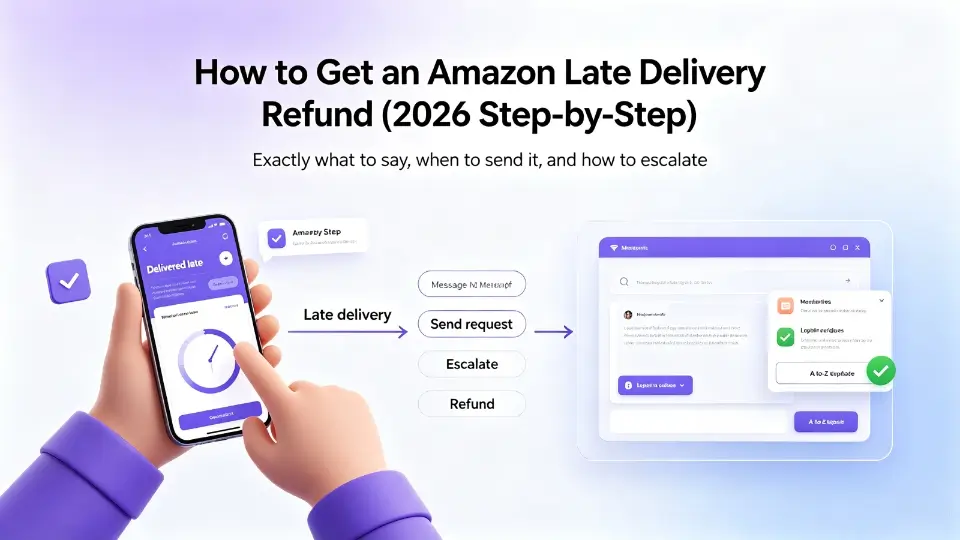
TL;DR
If your Amazon package is late and tracking shows it is stuck, Amazon's official policy says you do not have to wait. You can request a refund as soon as the estimated delivery date has passed - no 48-hour wait, no return required. Most customers who contact Amazon support within 5 days of the missed delivery get a full refund. If support declines, escalate to the A-to-Z Guarantee within 30 days.
What Amazon's policy actually says
Amazon's Late Delivery Promise is more generous than most shoppers realize. The three key conditions are:
- The order is sold and shipped by Amazon (not a third-party marketplace seller)
- The package was shipped with a guaranteed delivery date that has now passed
- You contact Amazon or the seller before the order is delivered
If those three conditions are met, Amazon will refund any shipping fees and may discount the item itself. You do not have to return the package. You do not have to provide a photo. The policy exists because Amazon knows late deliveries damage trust, and a $5 refund is cheaper than losing a Prime member worth $1,400/year.
When the policy does NOT apply
You will likely be rejected if:
- The seller is a third-party marketplace vendor (look for "Sold by X and Fulfilled by Amazon" - if the seller name is not "Amazon.com", the policy usually does not apply)
- The order is marked "Delivered" in tracking (then it is a different dispute - see our missing package guide)
- The order was a digital download, grocery, or gift card
- The guaranteed delivery date has not yet passed (you must wait until after the date)
3-step process to get your refund
Step 1: Go to Your Orders and find the late package
- Sign in to Amazon and go to Your Orders
- Locate the late order
- Click Problem with order → Where are my items?
- Choose Delivery was late
- Select Refund my shipping fees (or Refund my order if the option is shown)
- Submit
If Amazon grants the refund immediately (this happens ~40% of the time), you are done. Skip to step 3.
Step 2: If Amazon support declines, send a written claim
If the automated flow says "we cannot refund this order" or "contact the seller", you need a written claim. Open Amazon Customer Service chat, ask to speak to a supervisor, and paste a claim that includes:
- The order number
- The original guaranteed delivery date
- The current tracking status (or lack of tracking updates for 5+ days)
- A direct quote of the relevant policy section
- A clear ask: "I am requesting a refund per Amazon's Late Delivery Promise."
Pro tip: keep the tone factual, not emotional. A long angry paragraph about how you have been a Prime member for 9 years hurts your case. A short factual paragraph citing the policy number wins.
Step 3: Escalate to A-to-Z Guarantee if step 2 fails
If 7 business days pass with no refund, file an A-to-Z Guarantee claim. This is Amazon's buyer protection program and is handled by a different team than Customer Service. Approval rate is around 80% (qualitative estimate, not a policy guarantee) for clear late-delivery cases.
You can file A-to-Z from Your Orders → Problem with order → Request A-to-Z Guarantee Refund.
How long Amazon takes to refund
| Action | Typical timeline | |---|---| | Automated refund (Step 1) | 3-5 business days to your original payment method | | Customer service refund (Step 2) | 5-7 business days after supervisor approves | | A-to-Z refund (Step 3) | 7-14 business days after claim is filed |
Prime subscription credit refunds (the monthly fee discount Amazon sometimes offers) appear within 1-2 billing cycles.
What to do if the package finally arrives
If your package shows up after the refund, Amazon does not ask for it back. The refund stands. You are welcome to keep the item. (This is one of the few "free win" scenarios in e-commerce.)
Common mistakes that get your claim rejected
- Sending the claim through the wrong channel. Use the Help → Contact Us flow, not social media. Twitter/X complaints rarely trigger refunds.
- Claiming the package never shipped when tracking shows it in transit. Wait until tracking has been stuck for 5+ days with no scan before claiming.
- Forgetting to include the order number. Without the order number Amazon's agents cannot pull up your account details.
- Asking for more than the policy provides. Demanding a $50 gift card on top of the refund hurts credibility. Ask for what the policy guarantees, get the refund, move on.
When you should stop trying and contact your credit card company
If A-to-Z Guarantee also denies the claim and you paid with a credit card, you can file a chargeback with your card issuer. The typical window is 60-120 days from the original charge. Most issuers side with the cardholder for "goods not received as described" claims.
A faster path
Writing a claim letter from scratch takes 20-30 minutes and most people get the wording wrong. Parcel Claim generates a fact-based claim letter citing the exact Amazon policy section in under 60 seconds. You still send the letter yourself from your own Amazon account - the AI just does the policy lookup and wording for you.
Skip the manual writing
Parcel Claim generates a complete claim letter citing the actual amazon policy in under 60 seconds.
Generate my Amazon late delivery claim letter →$1.99 one-time · refundable if AI fails · 7-day free VIP trial
See also: official amazon refund policy
Read the structured rules we extracted from amazon's policy — compensation amounts, delay windows, and confidence rates for each scenario.
View amazon compensation directory →Related guides
How to Get an Amazon Refund for a Damaged Package (2026)
Amazon refunds damaged packages within 30 days, no return required for most items. Here is what to photograph, what to write, and how long the refund takes.
amazonAmazon A-to-Z Guarantee: How to Get a Refund for a Missing Package
When Amazon tracking says delivered but you have nothing. How to file an A-to-Z Guarantee claim, what evidence you need, and how long the refund takes.
tiktokTikTok Shop Package Not Received: How to Get a Refund (2026)
TikTok Shop orders are covered by a 30-day refund window. Here is how to file, what evidence to include, and how to escalate to TikTok Support.
temuTemu Late Delivery Policy: How to Get a Refund (2026)
Temu promises full refunds for late deliveries over $5 in value. Here is exactly how to file, what evidence is needed, and the standard processing time.
otherUPS Package Stuck in Transit: How to Get a Refund (2026)
UPS package stuck in transit for days? Here is how to file a UPS claim, what to do when UPS tracking is not updating, and how to escalate for a refund.